Channel mapping
Link each channel of a log to the DBC files that describe it, order DBCs when a channel has several, and know what happens to channels you leave unmapped.
A log can carry several buses, one per channel: powertrain on channel 1 and ADAS on channel 2, for example. Each channel needs the DBC for its own bus. Channel mapping is where you say which DBC describes which channel.
Open it with File → Channel mapping….
The mapping tree
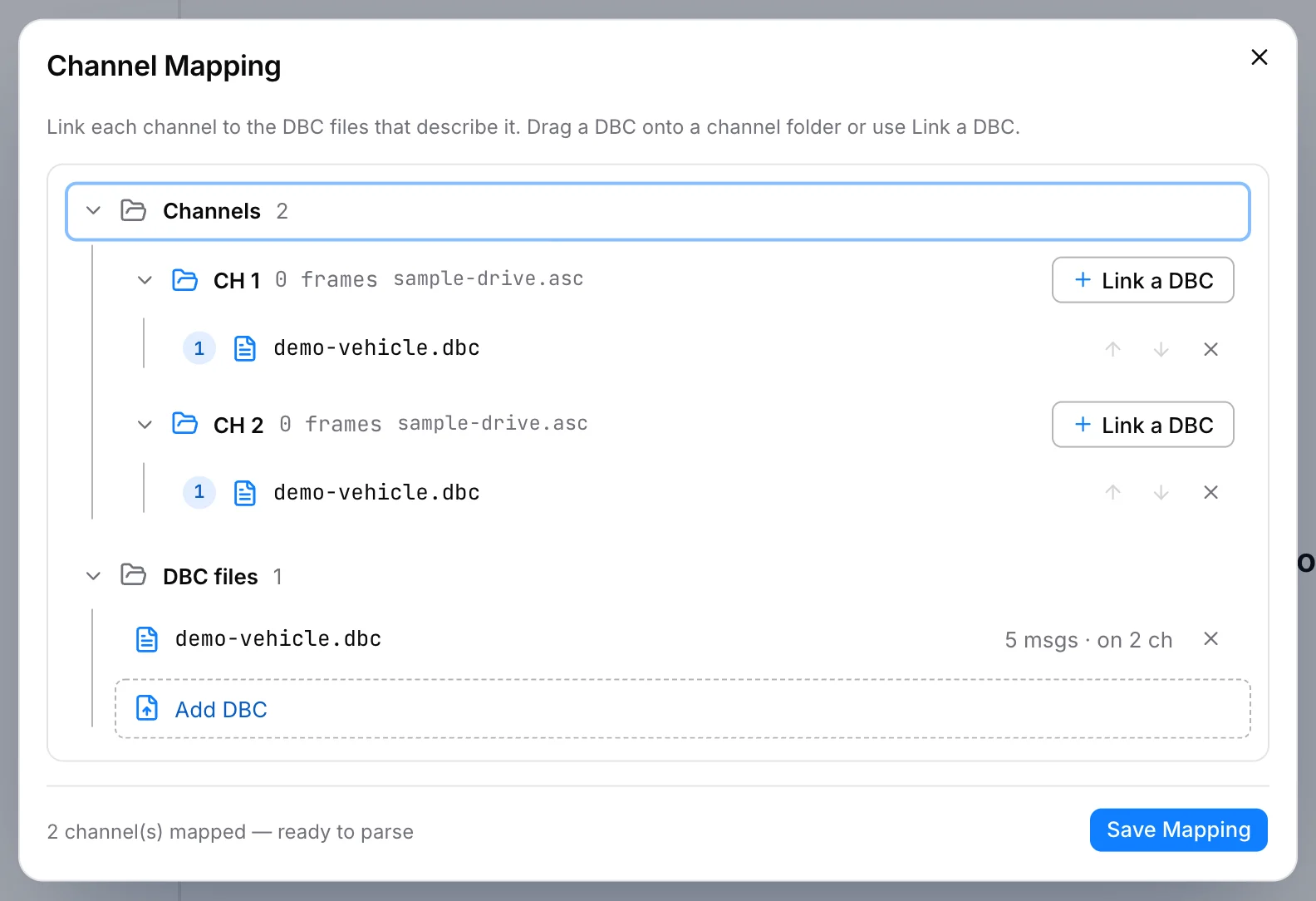
The dialog shows two folders:
- Channels: one folder per channel, with its frame count, which may show 0 before the first parse. Inside it are the DBC files linked to that channel, numbered in decode order.
- DBC files: every loaded DBC, with its message count and how many channels use it.
To link a DBC to a channel, drag it onto the channel folder, or use Link a DBC on the channel row. To unlink one, use the unlink button next to it. Add DBC loads more files from your computer.
DBC files you add from the File menu are already linked to the channels where their message IDs occur. The tree shows you that result so you can correct it. DBC files covers every way to add one, including the opendbc library.
When the links are right, select Save Mapping. In Signals, select Add Signal, choose a signal, and select Done. Then select Start parsing in the toolbar.
Several DBCs on one channel
A channel can take more than one DBC, for example a vehicle database plus a supplier database for one ECU. Each frame is decoded with the first DBC in the channel's list that defines its ID. Use the move up and move down buttons to set the order.
- Put the most specific file first when two DBCs define the same ID differently.
- A second DBC's definition of an ID that an earlier DBC already defines is not used on that channel.
- The same DBC can be linked to several channels.
For example, suppose the vehicle DBC and a supplier DBC both define message 0x180 on channel 1 with different signal factors. If the capture uses the supplier definition, move the supplier DBC to position 1, save the mapping, and parse again.
Unmapped channels
A channel with no DBC shows No DBC linked. This channel is skipped. Its frames are not decoded into signals. They still appear in the Frames view with their raw bytes, so you can see the traffic.
Start parsing needs at least one mapped channel. If a mapped channel still decodes nothing, see Troubleshooting.
Channel numbers
Channels are numbered from 1, as in CANoe. For candump logs, can0 is channel 1 and can1 is channel 2; see Supported files.