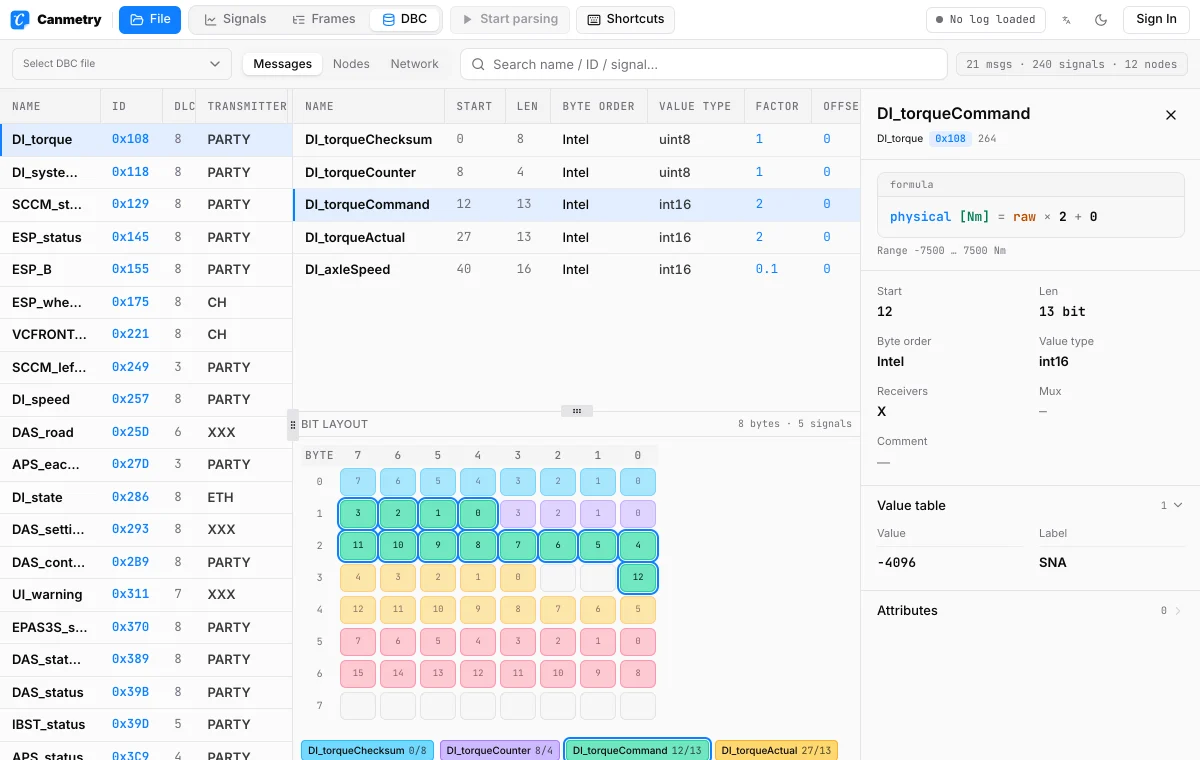
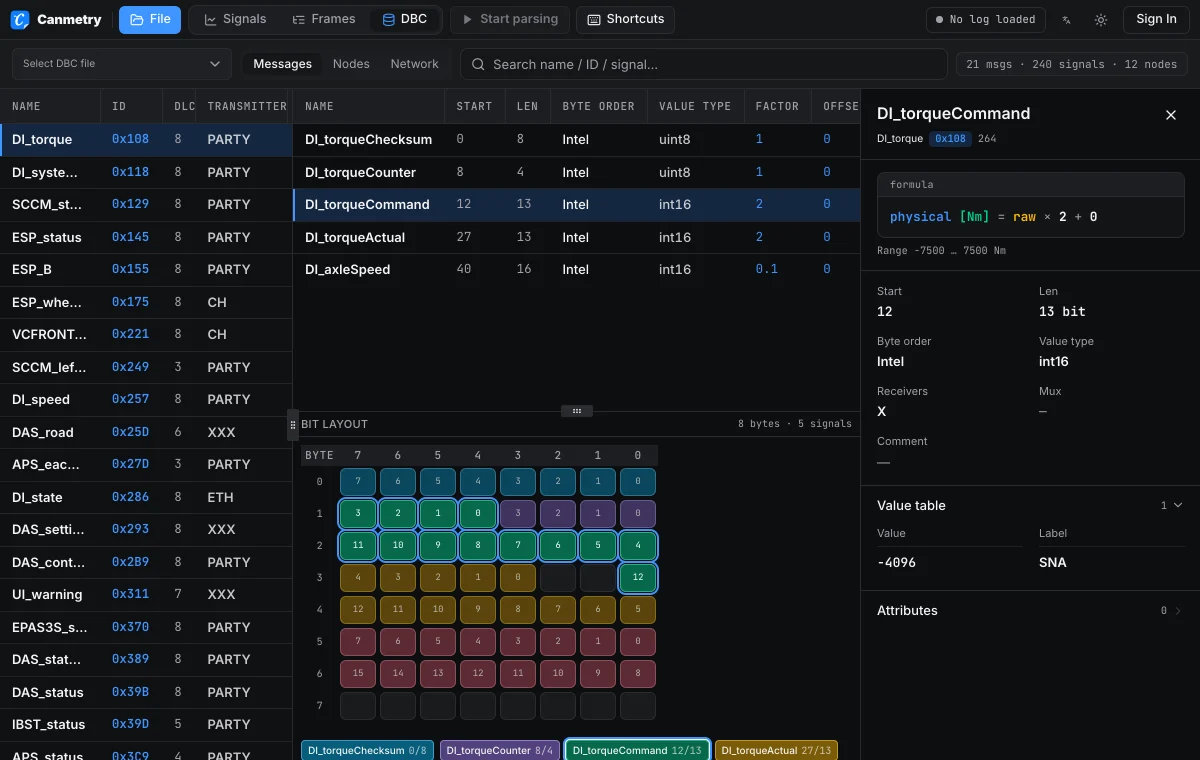
Messages and signals
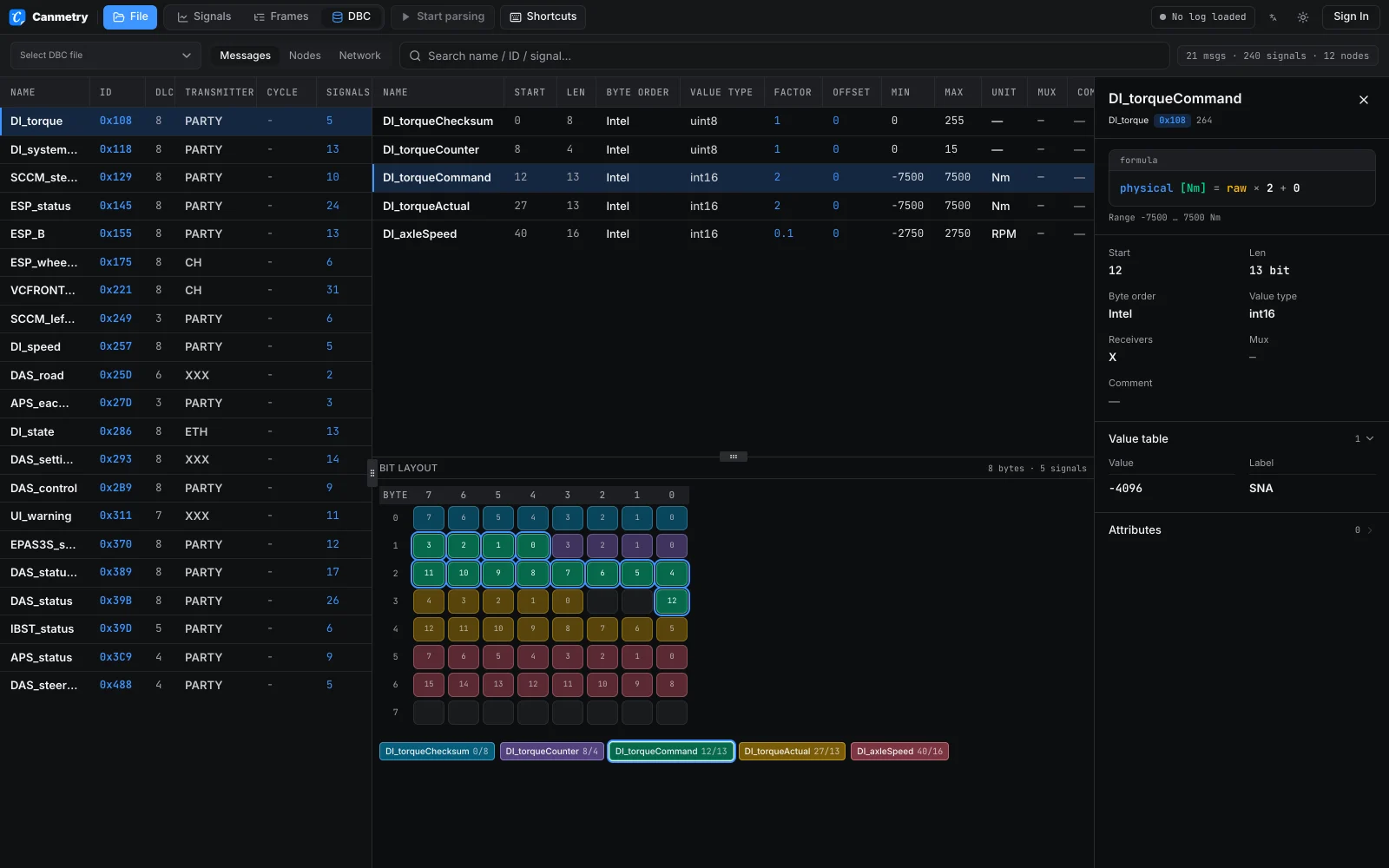
Every message with its ID, DLC, transmitter and cycle time. Pick one to list its signals with start bit, length, byte order, type, factor, offset, range and unit. Search by name, ID or signal.
Open a CAN DBC file to read its messages, signals, bit layout and nodes. Parsed in your browser, never uploaded.
Drop a DBC file here
orOne or more .dbc files. They open in the workbench DBC view.
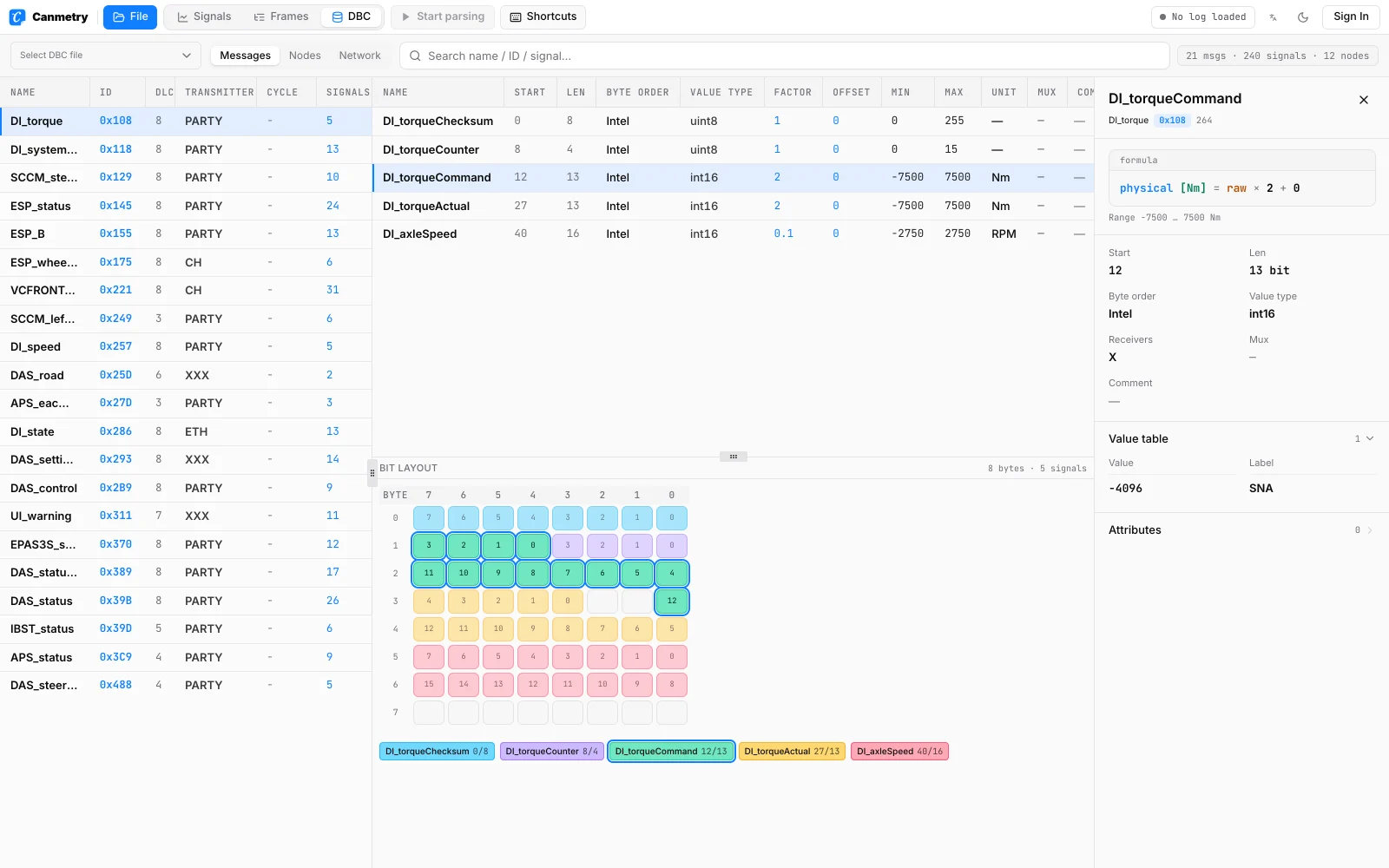
Pick a message, then a signal. Every number the DBC uses to decode it is on screen.
Every message with its ID, DLC, transmitter and cycle time. Pick one to list its signals with start bit, length, byte order, type, factor, offset, range and unit. Search by name, ID or signal.
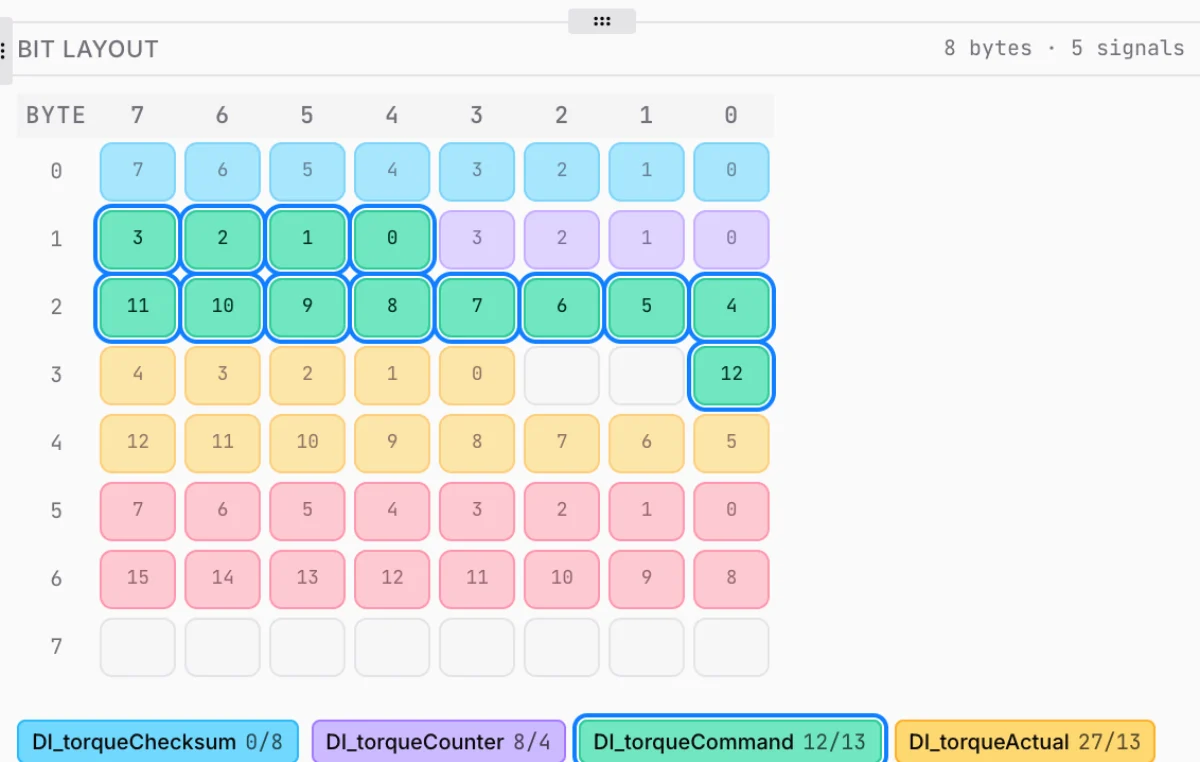
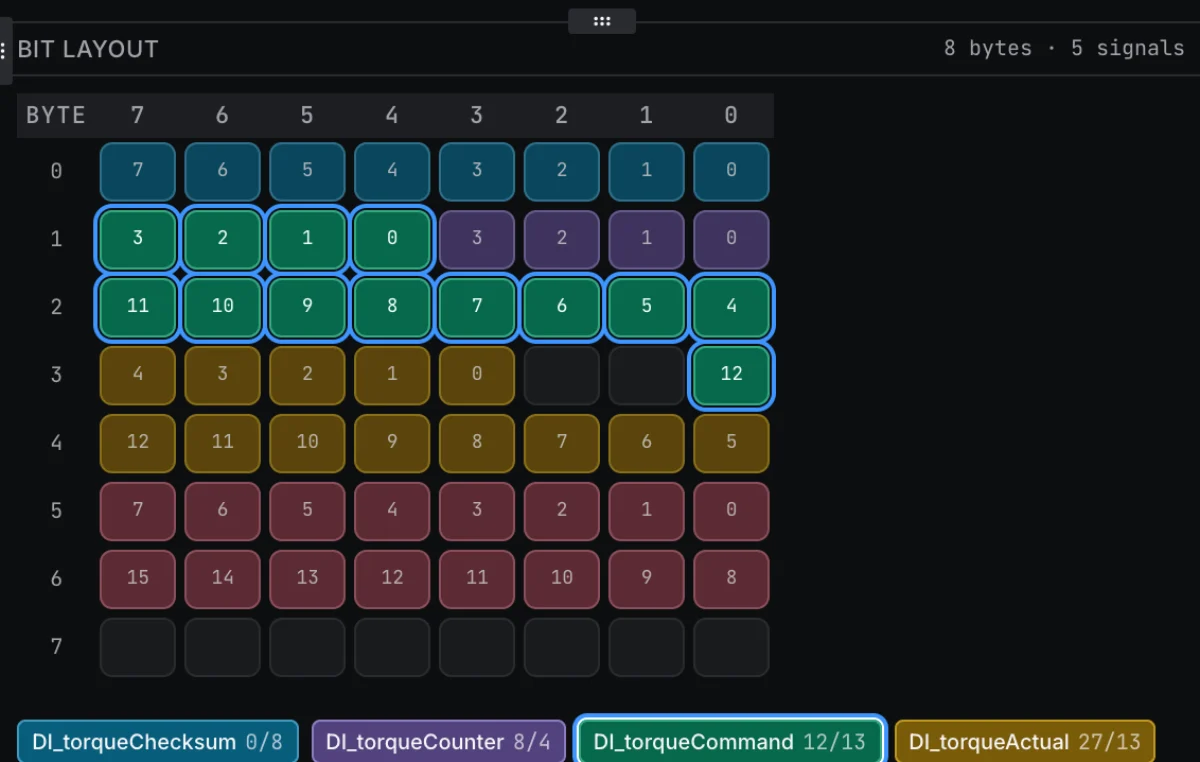
An 8 × 8 matrix shows which bits each signal occupies in the frame. Overlapping bits are flagged, so a broken layout is visible before you decode a log.
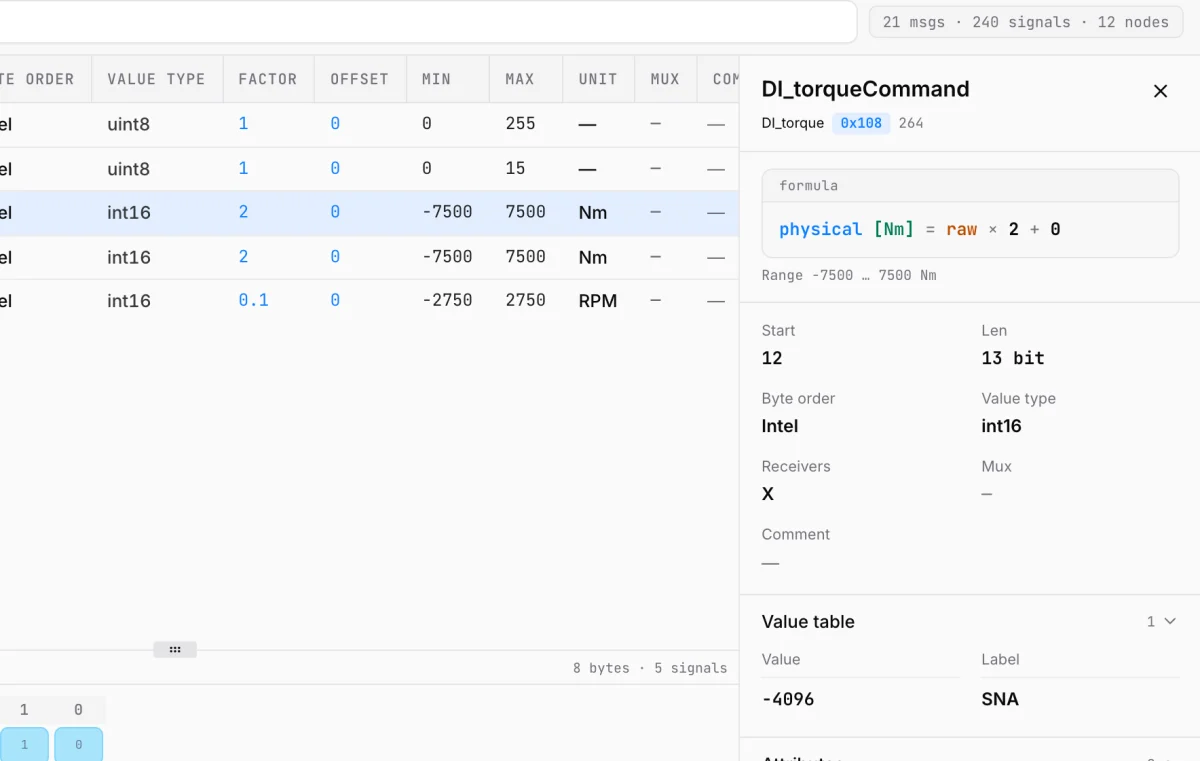
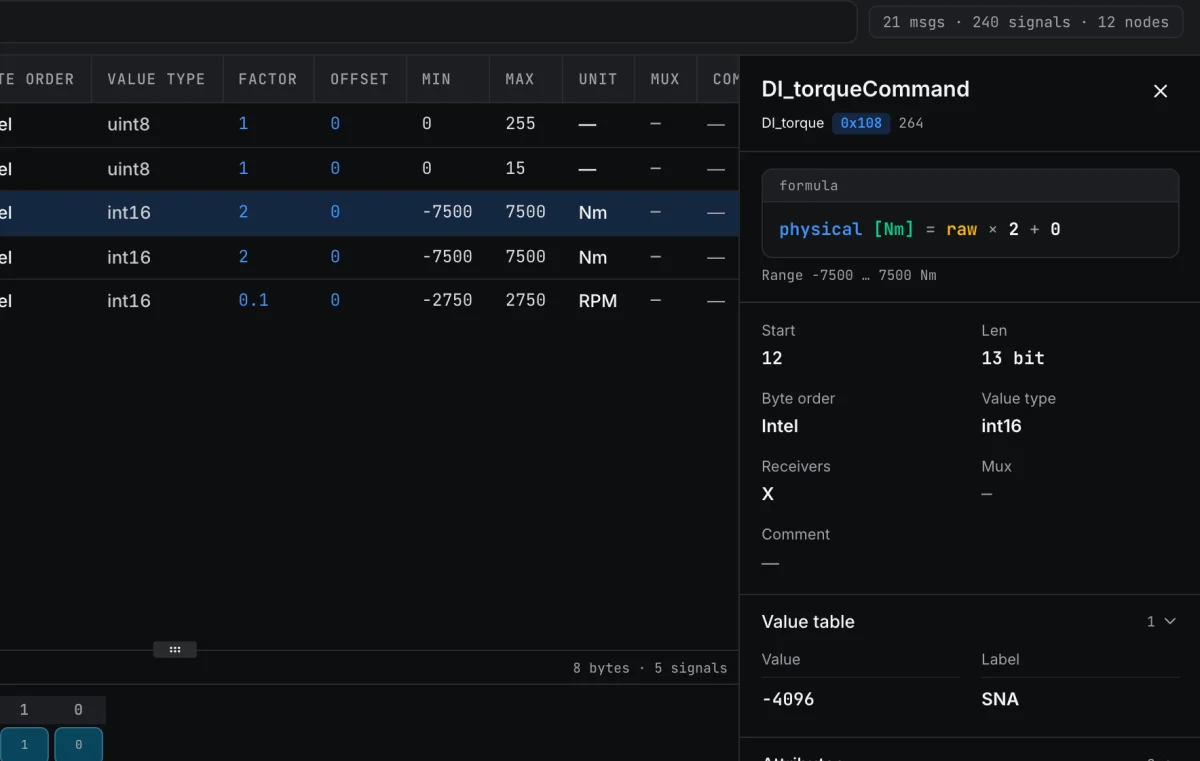
The conversion is written out as physical = raw × factor + offset, with the unit, range, receivers, multiplexing, comment, value table and attributes.
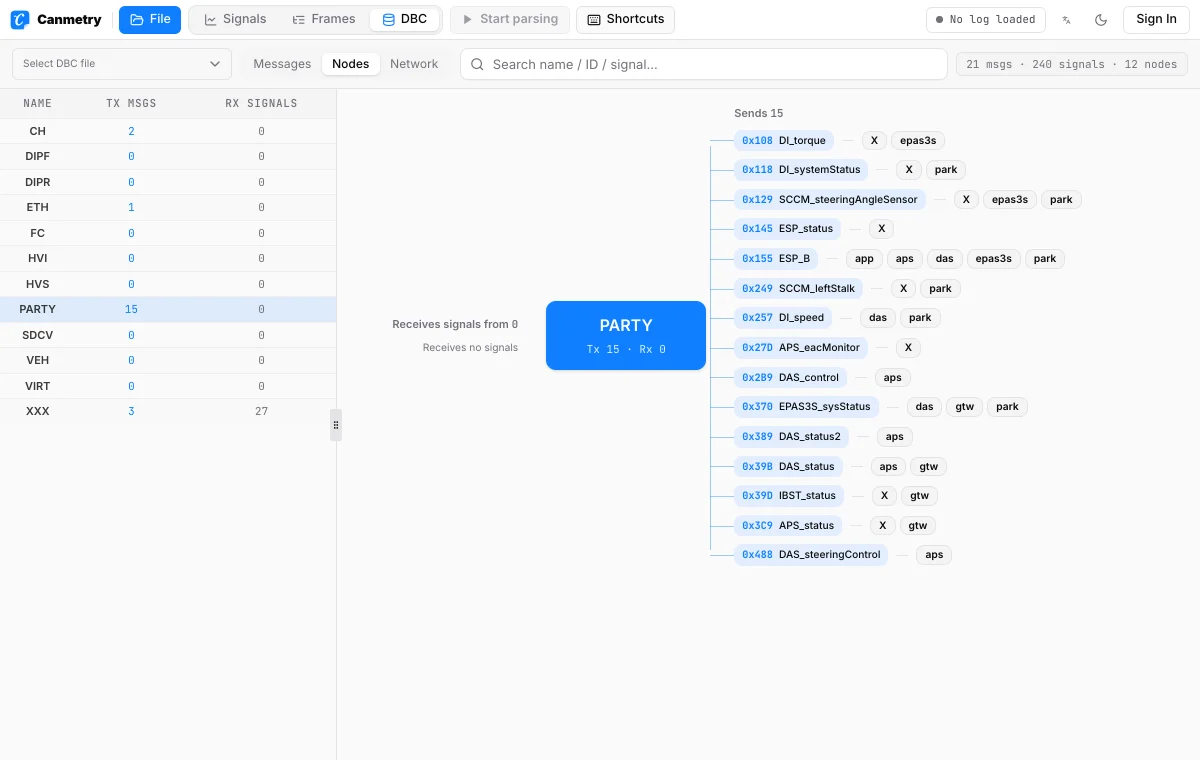
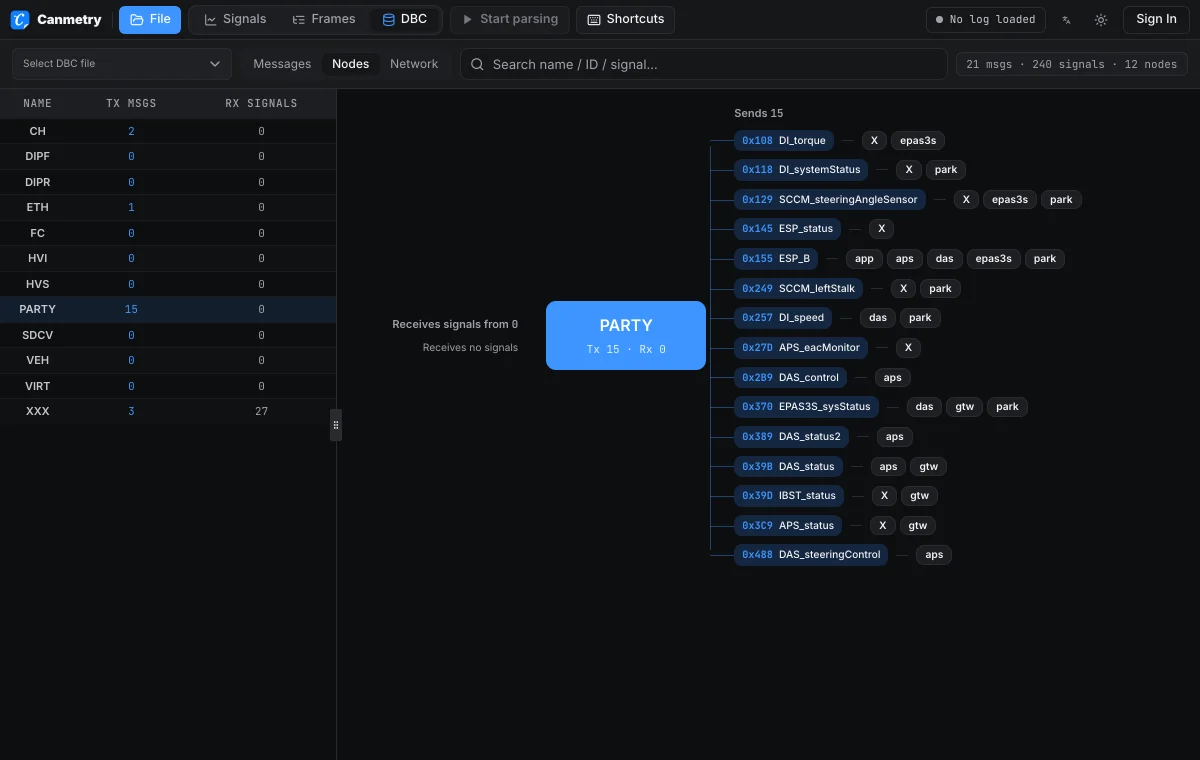
See every node on the bus, which messages it sends and which signals it receives. Click a node to follow its traffic.
Three steps in your browser. The DBC is never uploaded.
Drop a .dbc file, or pick one from the opendbc library. GBK and GB18030 files are read correctly.
Search by name, hex ID or signal name, then select a message to see its signals and bit layout.
Click a signal to read its formula, range, value table and attributes. Switch to Nodes or Network to see who sends and receives it.
Usually to answer one question about a network, quickly.
Suppliers usually get the network DBC from the OEM. Check which messages and signals it defines for your ECU before integration starts, without a Vector licence on your machine.
Compare the start bit, byte order, factor and offset with what you expect, and spot overlapping bits.
It runs in any modern browser, so there is nothing to install.
Follow a message from its transmitter to every node that receives it.
Open a BLF, MF4, ASC, CSV or candump log in the workbench and bind this DBC to its channel to plot the decoded signals. To use the data in MATLAB or Python, convert the log to MAT or CSV.
Drop it on this page or choose Open a DBC file. It opens in the browser workbench, where you can browse its messages, signals and nodes.
No. It is parsed in your browser and stays on your computer.
No. You only need a modern browser. CANdb++ is still the tool to use when you need to edit a DBC.
Not yet. The viewer is read-only.
Nothing. GBK and GB18030 encodings are detected automatically, so comments and value labels show correctly.
Yes. Multiplexing is shown for each signal, and extended (29-bit) IDs are displayed with their hex and decimal values.
Yes. Open a BLF, MF4 or ASC log in the workbench and bind the DBC to its channel.
Nothing to install, nothing uploaded.
The next job after this one, each on its own page.